
PRODUCT
The infrastructure that connects AI to organizations safely.
We create a path to AI with permissions and records. No server installation and no individual setup for employees.
- Authentication for each person
- Permission check for each operation
- A record of every operation
HOW IT WORKS
The Latens OS overview
Scroll the diagram sideways →
Whatever AI it comes from, there is exactly one road into your systems. Every employee connects their own tools, and administrators see the whole picture on one screen.
WHAT CHANGES
What changes once it is in.
On the left, the usual state of things. On the right, after Latens OS.
THE USUAL STATE
WITH LATENS OS
No record of who connected which AI to what
Every connection on one screen. An unapproved connection simply does not form
Staff pasting internal documents into personal AI accounts
Company accounts only, reaching only the data you permitted
No record of what the AI read or did
Every operation logged one by one: who, what, when
No way to confirm a leaver's AI access has been cut
Per-person authentication. Suspend the account and the connection ends with it
No control that blocks an AI from deleting or sending
High-impact operations require human approval. Rate limits available
If even one of these applies, an incident is not a question of whether, but of when.
ADMIN CONSOLE
Set it in the console. Every operation on record.
Which tools, how far each department may go, which kinds of operation. Decide these three, and every operation from then on is recorded.
Screens are from a development build. Names and figures shown are for demonstration.
01
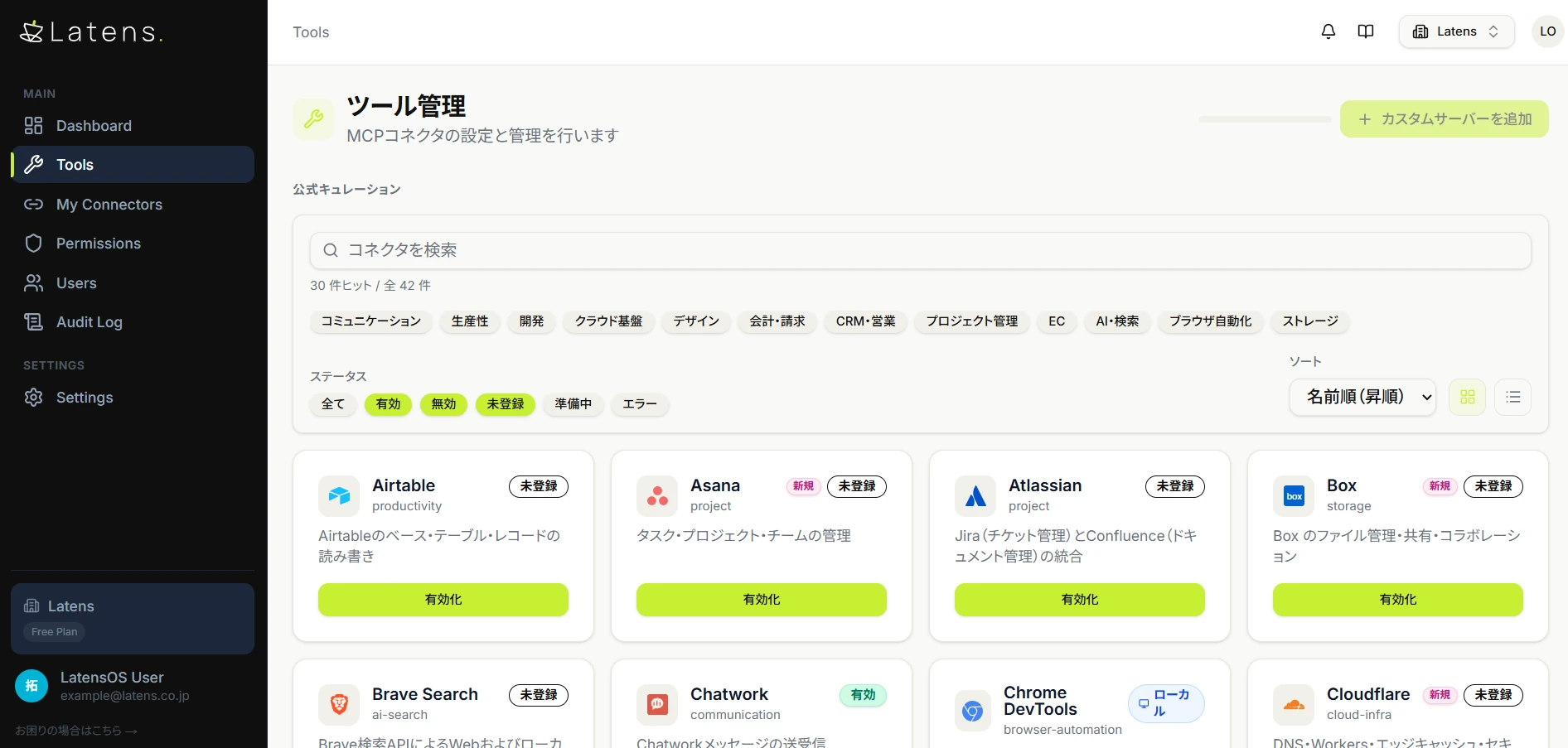
Choose the tools
Enable the tools your organisation will use. AI cannot connect to a tool you have not enabled.
02
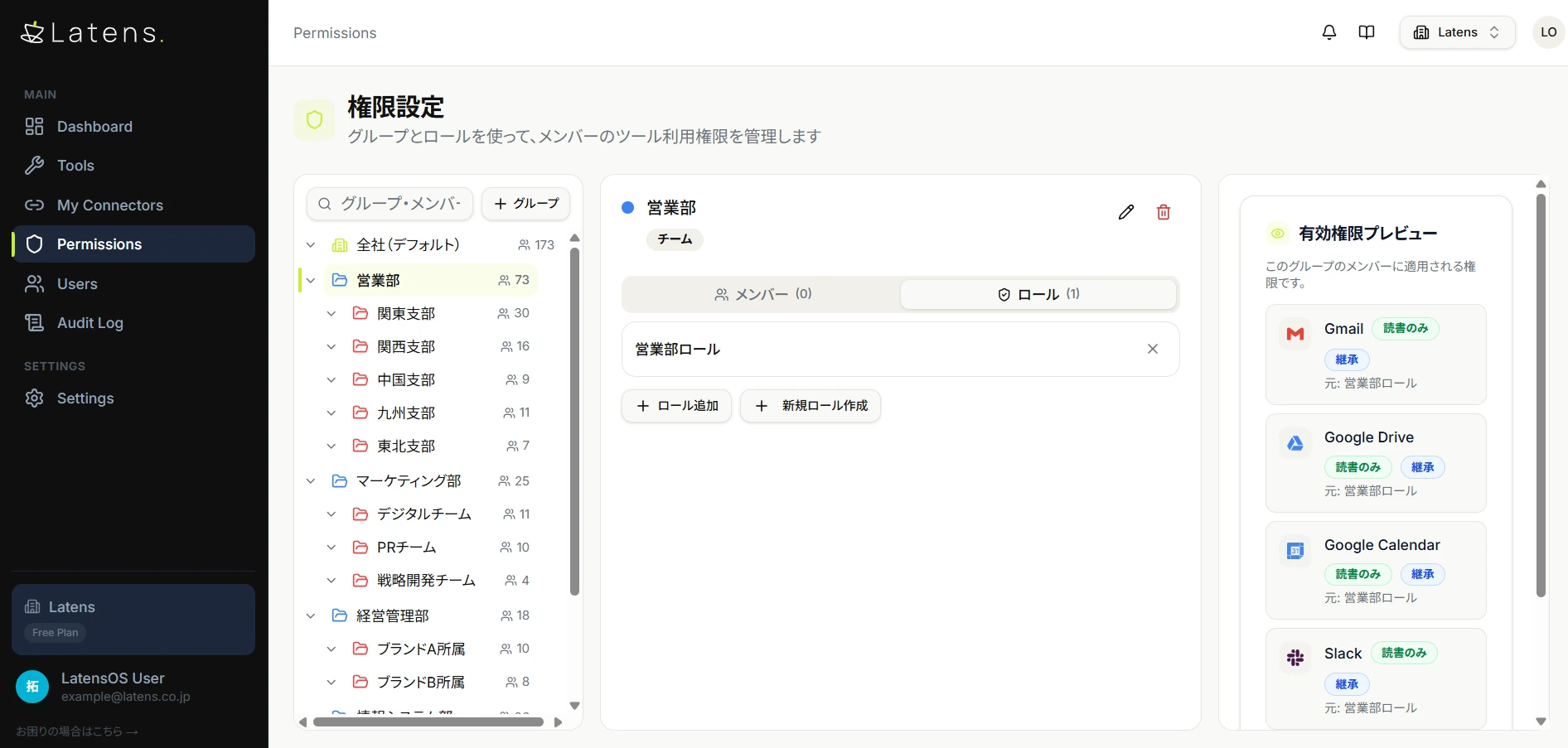
Set the range for each department
Divide the organisation into department and team groups and assign permissions to each. The panel on the right shows what actually applies.
03
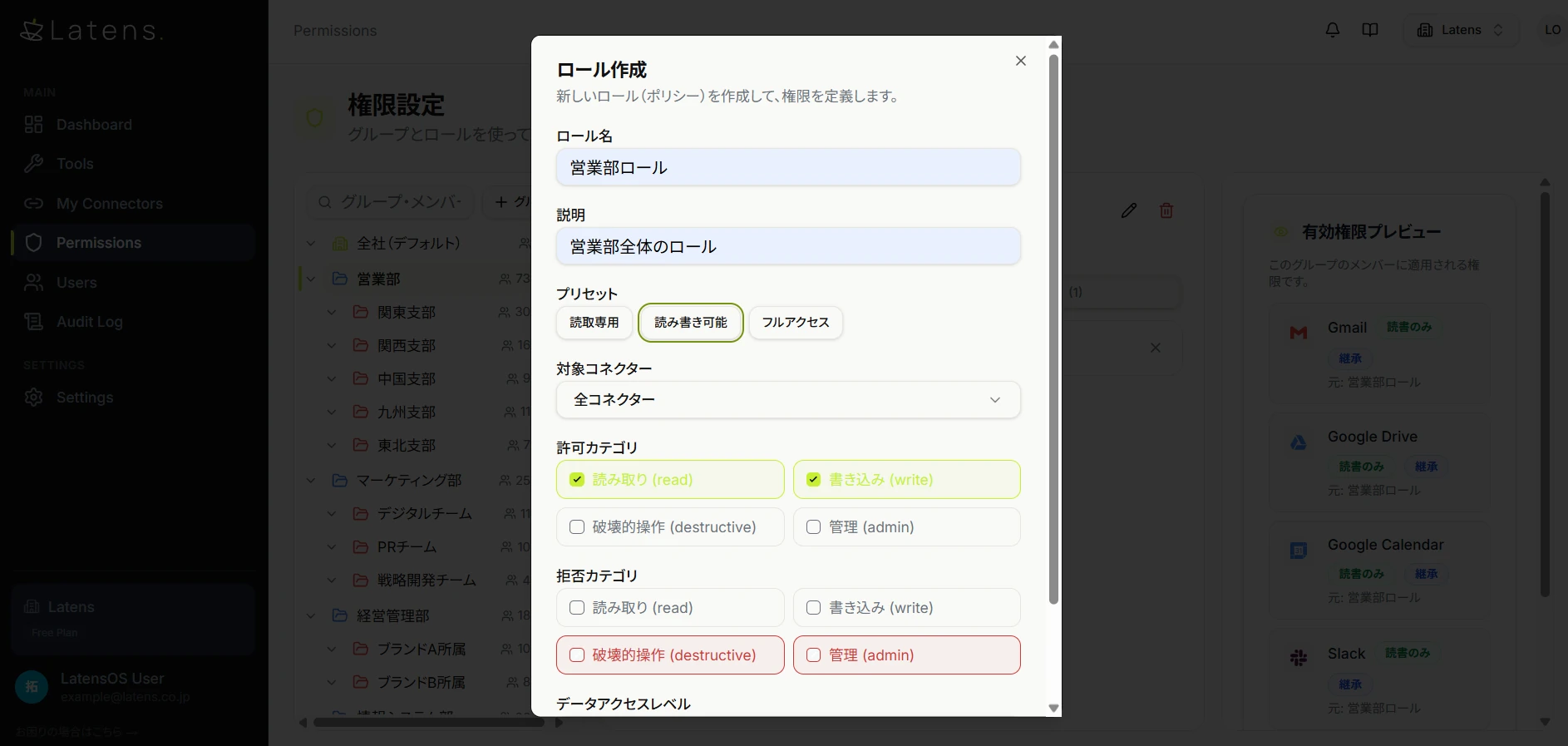
Allow or deny by type of operation
Allow or deny read, write, destructive and admin operations per role. You can deny only the high-impact ones.
04
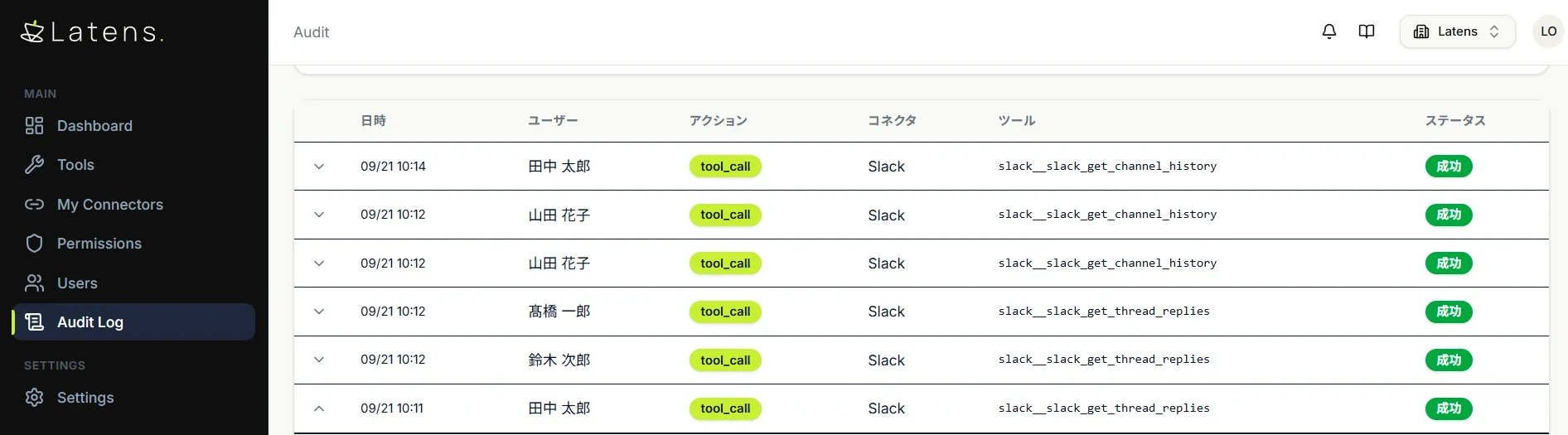
Every operation is recorded
Who ran what, when, with which tool — kept one by one. Open any entry to see the request and response themselves.
IN PRODUCTION
It is already running.
Logistics and delivery
95% less time
Automated reconciliation and aggregation of monthly delivery data (several thousand records). A five-hour manual process now takes 15 minutes.
Contract development
Delivered and running at 5+ companies
Custom MCPs developed and delivered for industries and systems where no off-the-shelf MCP exists.
Our own company
Zero interview hours
The business interview and organization flow is agentized, automating interviews and summaries.
Other work already running
Food manufacturing / reduce waste with demand forecasting (2,500 SKUs)
Real estate / AI drafting and review of approval documents
Educational institution / AI consultation for student support
The top figures are measured results at each company. The lower items are running projects whose impact is still being measured.

GUARDRAILS
Four controls, included as standard
Human approval
- Irreversible actions — sending, deleting — always go through a person.
Automatic blocking
- Permitted actions are defined in advance; anything outside is stopped.
Audit log
- Every action is preserved — when, who, what — and can be handed to an auditor.
Operational monitoring
- An admin dashboard shows what is running right now.
Our job is to get you to the point where you can explain what happened.
Standard connectors (as of October 2026: 30 audited and ready, 12 in preparation)
Gmail / Google Calendar / Google Drive / Chatwork / freee (accounting, HR, invoicing) / Money Forward Cloud Accounting / Slack / Notion / Box / GitHub / Stripe / HubSpot / Figma / Asana / internal file servers, and more
Audit criteria: provider identity, transport and authentication, permission scope, granularity of write operations, and availability of operation logs. Standard connectors are being added continuously.
HOW TO START
Getting started takes one URL.
No server installation and no individual setup for employees.
- 01
Choose the destinations
In the admin console, decide which internal systems AI may reach and how far each person may go.
- 02
Register the URL
Paste the single URL we issue into your AI service’s admin console.
- 03
Ask your usual AI
People talk to their AI exactly as before. No new tool to learn.
PRICING
Monthly fee = ¥3,000 × users + ¥3– × executions
Inquiries — looking up, searching, reading — are unlimited and free. Connectors are free no matter how many you add. No setup fee.
You do not need to secure a budget first. Use it for one month, measure it, then decide.
Nothing new to learn. The AI you already use now reaches your internal systems.
In a 15-minute demo, we will show your work moving.
Choose one task you currently do by hand. This is not a generic sample.